Get Free Pro Access as a Student
WebGeno offers 1 year of free Professional access to verified students enrolled in psychology, counseling, social work, medicine, nursing, family therapy, occupational therapy, and any other course where genograms are part of the work. Here’s how to verify your status — the whole process takes about 5 minutes.
1Sign in with your university email
Verification keys off the email on your account — it must be your school address.
Go to the WebGeno web app and click Sign Up in the top-right corner. Use your university email address (the one ending in your school’s domain) so the next steps go faster.
2Open “Verify Student Status”
It lives in the same avatar dropdown menu.
Click your avatar again, then choose Student? Get Pro Free.
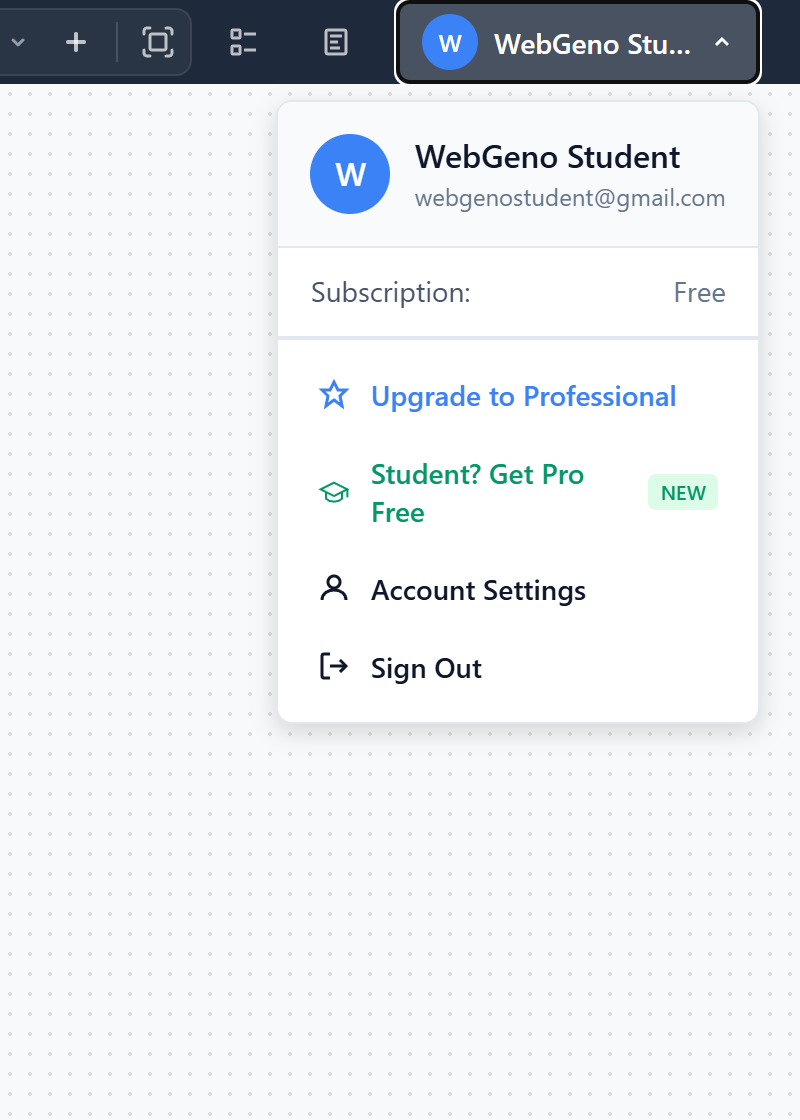
The avatar dropdown menu. Click Student? Get Pro Free to start verification.
3Verify with an email code
When your university domain is recognized, this is instant.
The verification dialog opens with your university email pre-filled. WebGeno checks the domain against a list of ~500 recognized universities.
Recognized domain
You’ll get a 6-digit code by email. Enter it — Pro is unlocked instantly.
Unrecognized domain
You’ll be asked to upload your student ID + enrollment letter for manual review (24–48h).
For recognized domains you’ll see a green Instant Verification badge. Click Send Verification Code — check your inbox, then enter the 6 digits:
Verification dialog. The code expires after 10 minutes — just resend if needed.
❗If your university isn’t recognized
Manual document review — takes 24–48 hours.
Some universities aren’t in our auto-verification list yet (this is common for non-US schools). When that happens, the dialog asks you to upload two documents:
- Student ID — a photo or scan of your university-issued ID card.
- Enrollment letter — current proof of enrollment from your university registrar.
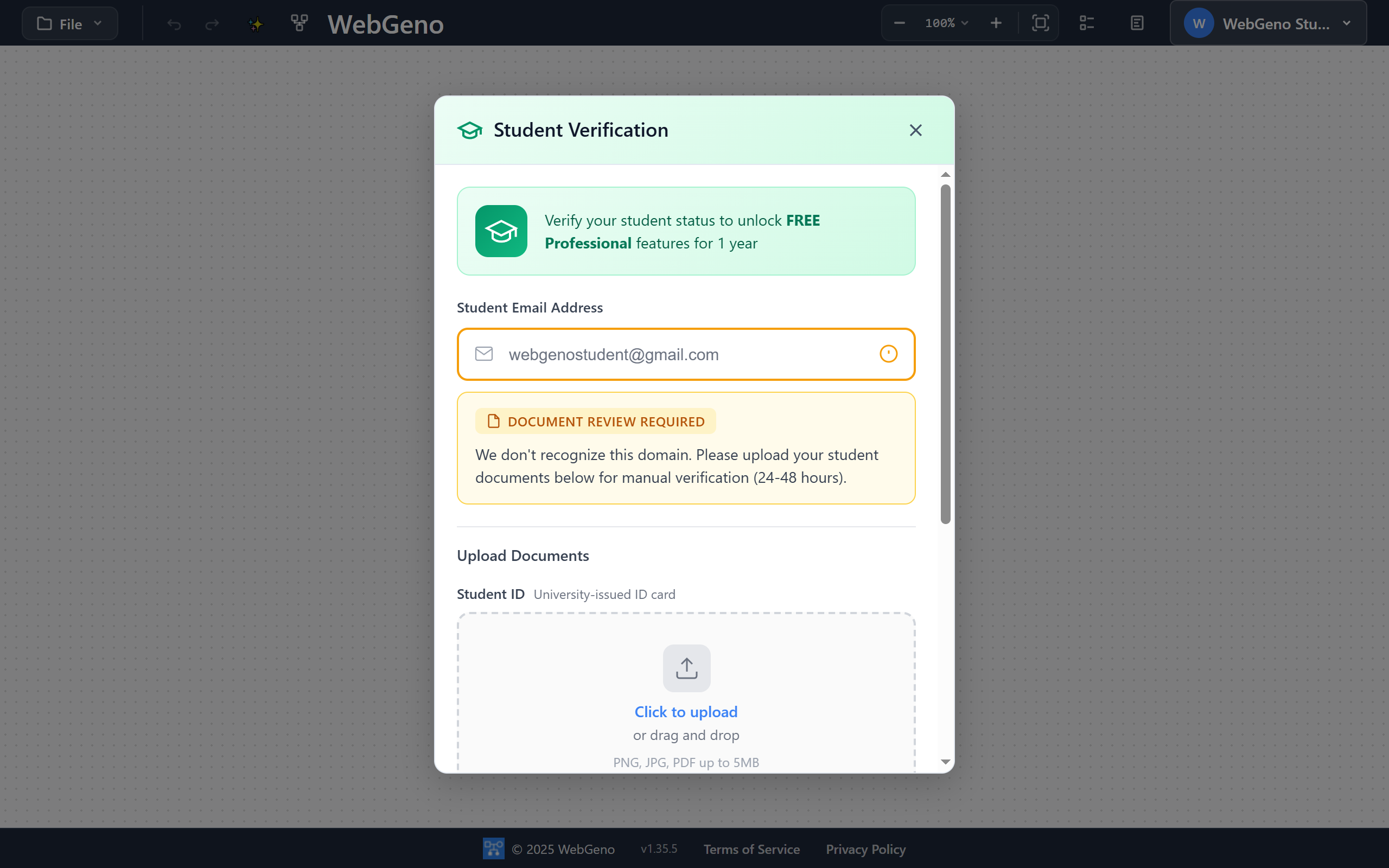
Verification dialog showing the Document Review Required state. Upload your Student ID and Enrollment Letter, then click Submit for Review.
Frequently asked questions
Do I need to enter a credit card?
No. Student verification is completely free — no payment information is collected at any point.
What does “Professional” access include for students?
Cloud save with end-to-end encryption, sharing with clients/peers/supervisors, advanced annotations, PDF export with appendices, and unlimited genograms.
AI-assisted genogram generation and editing is intentionally excluded from student accounts to keep academic work your own — the assignment is meant to develop your clinical thinking, not be generated for you. AI features are available on paid Professional accounts for practicing clinicians. See the full feature list.
How long does student access last?
One full year from the verification date. After that, you can re-verify with the same process if you’re still enrolled, or switch to a paid plan.
Can my classmates and professors get this too?
Yes — anyone in psychology, counseling, social work, medicine, nursing, family therapy, occupational therapy, or any other course where genograms are part of the curriculum can verify the same way. Faculty members can also email support@psychologysmarttools.com if they need group access for a course.
My university email is from outside the US — will it work?
Yes. If the domain is recognized you’ll get instant verification. If not, the manual upload route works for any accredited institution worldwide.
The verification code never arrived. What now?
Check your spam/junk folder first. Codes expire after 10 minutes — click Resend Code in the dialog if needed. Still nothing? Email support@psychologysmarttools.com with your university email and we’ll help.
I need to change my account email before I can verify.
See the dedicated guide: How to change your email address. Note that the change requires confirmation from both the old and new inboxes — that’s the step most people miss.