
Start from a scenario, not a blank canvas
Most genograms in clinical practice share the same skeleton — three generations, an index person, parents, grandparents, and a sibling or two. The detail that matters is what's inside: the conditions, the relationships, the patterns.
These templates take care of the skeleton. Each one is a working three-generation genogram for a common clinical scenario:
- Family structures nuclear, blended, single-parent, adoption/foster, extended
- Clinical patterns substance use, mental health, hereditary cancer
- Systems work intergenerational trauma, cultural and immigration narratives
All use generic placeholder names. Open one, rename the people, add the specific health conditions, adjust the relationships — your genogram is ready in minutes instead of an hour of canvas setup.
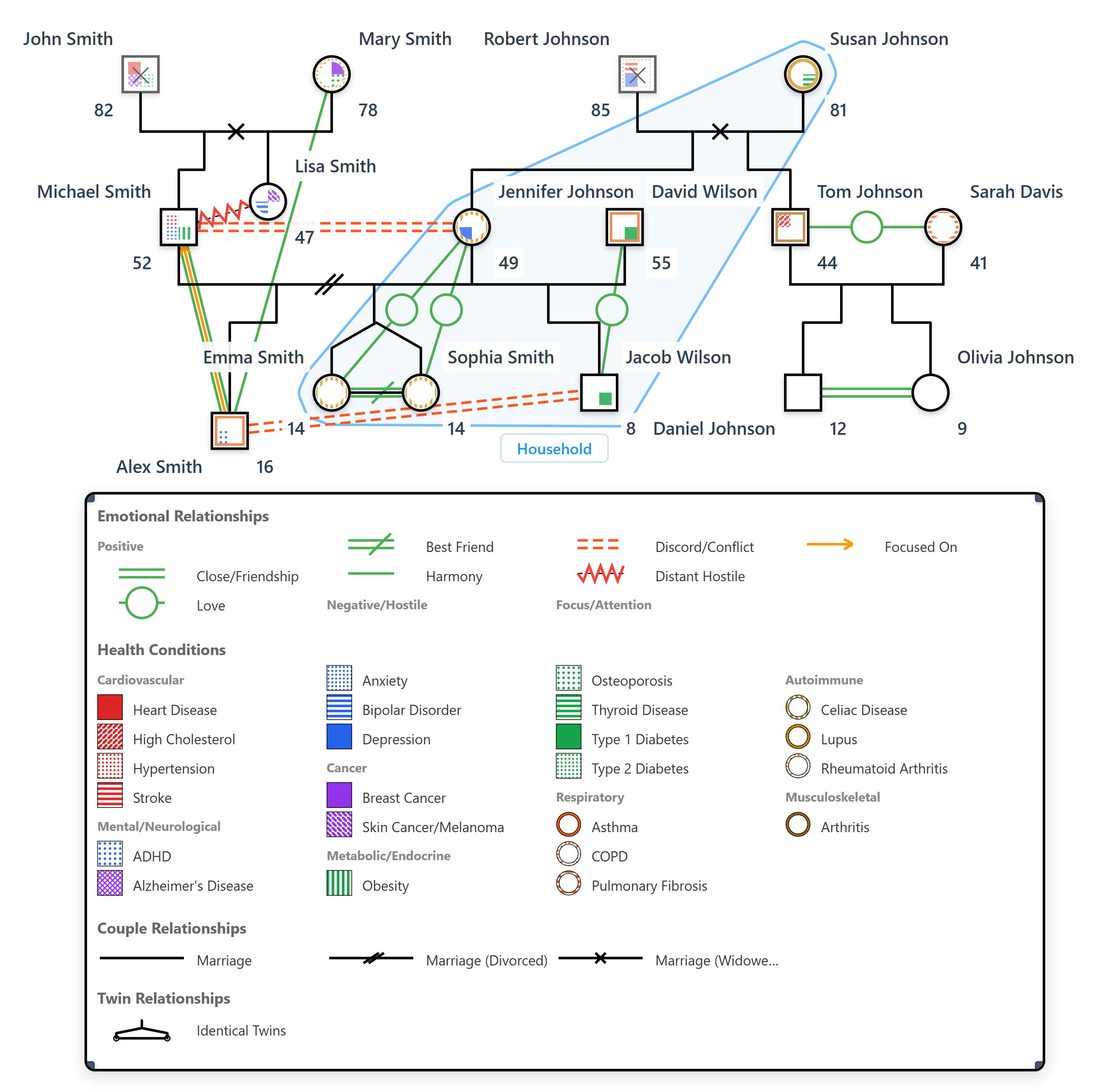
10 free templates
Pick the closest match to your scenario and modify from there
Nuclear Family — Three Generations
Clean three-generation nuclear family. Index person, parents, grandparents and one sibling. Use as a starting point for any standard genogram.
Open TemplateThree-Generation Extended Family
Larger three-generation family with aunts, uncles and cousins. Common in family-of-origin work and assessment training.
Open TemplateDivorce & Remarriage — Blended Family
Mother with children from a previous marriage, now remarried with a stepfamily. Common in blended family work.
Open TemplateSingle-Parent Family
Single parent with absent or limited-contact other parent. Includes maternal grandparents as primary support.
Open TemplateMulti-Generational Substance Use
Pattern of alcohol, nicotine, opioid and cannabis use across three generations. For addiction-focused therapy and family-of-origin work.
Open TemplateMulti-Generational Mental Health
Depression and anxiety across three generations, with one case of bipolar disorder. For psychiatric assessment and family history work.
Open TemplateAdoption & Foster Care
Family with biological, adopted and foster children. Includes the biological parents for context. Common in child welfare work.
Open TemplateMulticultural Family — Immigration
Three generations with an immigration story. Grandparents emigrated, parents born in transition, index person born in the new country.
Open TemplateIntergenerational Trauma & Resilience
Family with intergenerational trauma (loss, abuse history) and resilience factors (support, recovery). For trauma-informed assessment.
Open TemplateHereditary Cancer Pattern
Strong pattern of breast and ovarian cancer in maternal line — BRCA-style. For genetic counseling and oncology family history.
Open TemplateHow to use a template
Pick the closest match
Browse the gallery above. You don't need a perfect match — pick whichever template has the closest family structure and clinical pattern, then modify from there. A "nuclear family" template can become a single-parent template in two clicks.
Click "Open Template"
The template loads in the WebGeno canvas. All people, relationships, health conditions and emotional dynamics are pre-placed. Generic names like "Index Person" or "Maternal Grandmother" act as placeholders.
Rename and adapt
Double-click any person to edit. Replace placeholder names with the real ones, update ages and dates, add or remove health conditions, modify the emotional relationships. The auto-layout keeps everything tidy as you go.
Save your version
Click File → Save to download a .wgeno file with your modifications. Re-open anytime to continue editing. Pro users can sync to the cloud and access from any device.
Frequently Asked Questions
Are these genogram templates really free?
Yes. All 10 templates are free to open, modify and save. The free WebGeno tier includes everything you need to work with them — unlimited family members, 64 health conditions, all relationship types. Pro features like cloud sync and PDF export are optional.
How do I use a template?
Click "Open Template" on any card. The genogram loads in the WebGeno canvas. Rename the people, change ages, add or remove members, adjust health conditions — make it match the family you're working with. Save locally as a .wgeno file or sync to the cloud with Pro.
Are these real families?
No. All templates use generic placeholder names (Index Person, Father, Maternal Grandmother, etc.) and represent common clinical patterns rather than specific individuals. They're starting points to save you the boilerplate work of laying out a three-generation structure.
Can I share my modified template with a client?
Yes, with the Pro plan. Pro adds encrypted share links with optional password protection and expiry dates. Free users can save locally and export via screenshots; PDF/PNG/SVG export is a Pro feature.
Can I create my own templates and reuse them?
Yes. Save any genogram as a .wgeno file (File → Save). The next time you want to use that structure, just open the saved file. Pro users get cloud sync so saved templates are available on any device.
What if a template doesn't match my case exactly?
Pick the closest template and modify. The templates are intentionally lightweight (8–13 people each) so you can re-shape them quickly. Adding a generation, swapping in a different relationship type, or removing people you don't need is all standard editing.
Pick a template, get started
10 templates, all free. The blank canvas can wait.
Templates work in the free tier. No account required.